Fitting large amounts of text into limited space is a common challenge for editors and designers. Condensed typefaces offer a practical solution by reducing character width without sacrificing height. This allows you to maintain readability while maximizing the use of available columns. When working with newspapers, magazines, or data-heavy reports, choosing the right narrow fonts ensures the layout remains clean and organized.
Why do condensed fonts save space in editorial layouts?
Condensed fonts compress the horizontal space each letter occupies. This means you can fit more words on a single line without reducing the font size. For print publications with fixed column widths, this efficiency prevents text from spilling over onto extra pages. Digital interfaces also benefit when screen real estate is limited, such as on mobile views of news sites. The goal is to keep information accessible without crowding the visual field.
How do you pair condensed headers with body text?
Using a condensed font for headlines creates a strong vertical rhythm when paired with a standard body typeface. A narrow sans-serif header works well above a readable serif paragraph. This contrast helps readers distinguish between titles and content quickly. You can explore more about modern magazine layout structures to see how these combinations function in real-world examples. Keeping the body text at a standard width ensures comfort during long reading sessions.
Which specific typefaces work best for tight columns?
Some fonts are designed specifically for high-density environments. Oswald is a popular choice because it offers a range of weights that remain legible at small sizes. Another option is Bebas Neue, which works well for all-caps headlines but should be used sparingly in body text. Selecting a font with open counters prevents characters from blending together when printed on lower-quality paper or viewed on low-resolution screens.
When should you avoid condensed styles entirely?
Not every project benefits from narrow typography. Luxury brands often require more breathing room to convey exclusivity and elegance. If you are designing for a high-end market, wide fonts with generous spacing might align better with the brand identity. Learn more about editorial fonts pair well for luxury contexts to understand when width adds value. Condensed styles can feel too utilitarian for lifestyle or fashion editorials that rely on white space for impact.
What settings improve legibility in dense blocks?
Adjusting leading and tracking is essential when working with tight text blocks. Increasing line height slightly prevents rows from merging visually. You should also avoid justifying text too aggressively, as this creates uneven gaps between words. Proper kerning ensures that pairs of letters do not collide. For more specific advice on editorial content guidelines, review how spacing affects overall density. Small adjustments here make a significant difference in reader retention.
Quick Checklist for Dense Typography
- Choose a condensed font for headers and a standard width for body text.
- Test readability at the smallest intended size before finalizing.
- Increase line height by 10-15% to improve scanning speed.
- Avoid using all-caps for long paragraphs.
- Check contrast ratios to ensure accessibility compliance.
- Limit the number of typeface families to two or three per page.
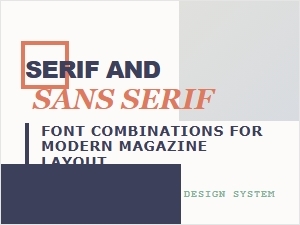 Masterful Font Pairings for Modern Magazine Layouts
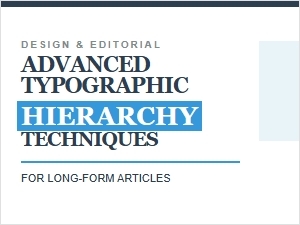 Crafting Better Reads with Typographic Hierarchy
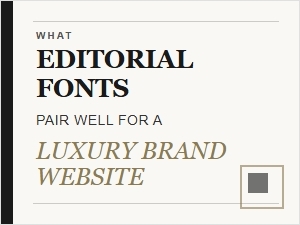 Editorial Font Combinations for Luxury Websites
 Best Script Font Accents for Editorial Headlines
 Editorial Fonts for Professional Corporate Branding
 Editorial Accents with Powerful Display Fonts